Help › Results
The Overview page
Open Overview in the menu.
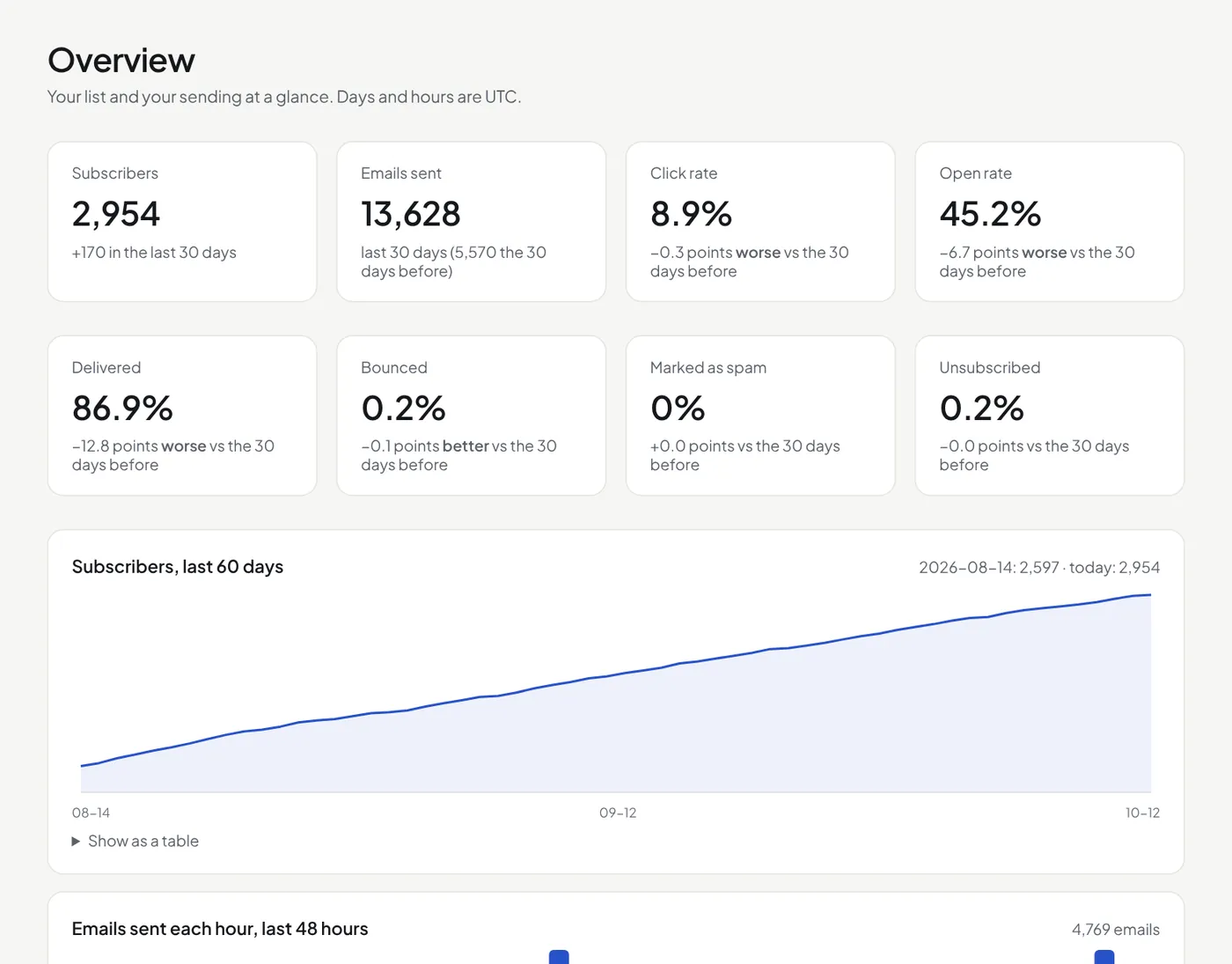
- Subscribers today, and the change in the last 30 days.
- Rates for the last 30 days: delivered, opened, clicked, bounced, marked as spam and unsubscribed, each against the 30 days before.
- Subscribers, last 60 days: point at a day to see the count, who joined and who left. Press Show as a table for the numbers.
- Emails sent each hour in the last 48 hours.
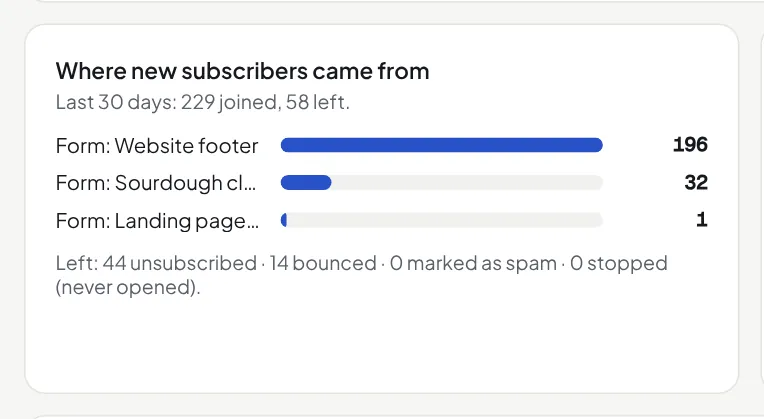
- Where new subscribers came from in the last 30 days: each form by name, imports, the API, Claude, or added by hand. Under it: who left, and why (unsubscribed, bounced, marked as spam, stopped by list cleanup).
- How engaged your subscribers are: how many have each score, from 1 to 5 stars. Press a row to see those people.
- Sign-up forms: views of each hosted sign-up page, sign-ups and the rate, in the last 30 days.
The engagement score
Each subscriber has 1 to 5 stars. 5: opened or clicked in the last 30 days. 4: in the last 90 days. 3: in the last 180 days, or joined in the last 30 days. 2: in the last year, or ignored fewer than 3 campaigns. 1: the rest. It shows on Subscribers (filter by it) and on each contact's page. Opens are not sure (some mail apps open every email by themselves), so a click counts the same as an open here.
Imported people count from the sign-up date in the file. Without one, they count from before the chart, not as a jump on the import day. Days and hours are UTC.
Did this answer your question? If not, contact us or use the chat button.