Help › Account
Connect Claude
Connecting Claude (MCP) is on the Pro and Power plans.
In Claude: Settings → Connectors → Add custom connector, with the address https://app.mailfly.ai/mcp. Sign in, choose the business and press Allow.
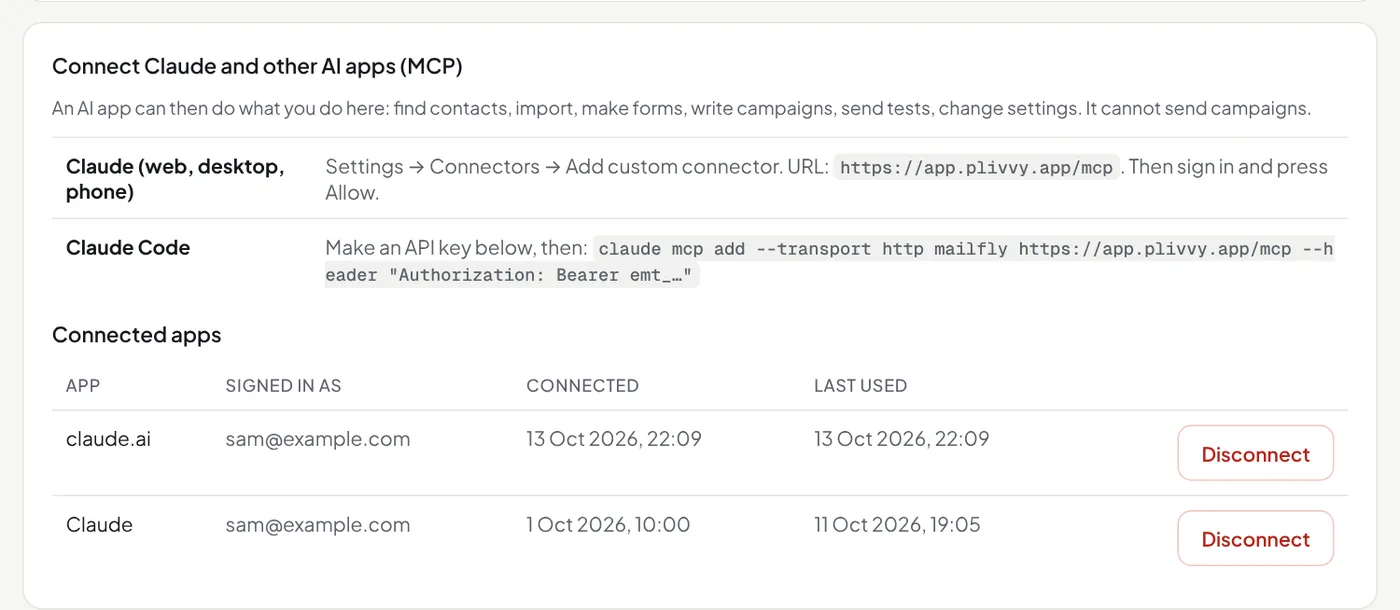
In Claude Code: make an API key in Settings, then run claude mcp add --transport http mailfly https://app.mailfly.ai/mcp --header "Authorization: Bearer emt_…".
Claude can find contacts, change many contacts at once (add or remove a tag, or add them to an automation that is on: Claude first tells you how many people it would change and asks you), import, make forms, write drafts (with an A/B subject and in Markdown), add buttons that add a tag or start an automation when clicked, make a resend draft, build automations with their steps, design your sign-up forms, set up daily emails from a Google Sheet or a JSON feed (with its fields) and RSS emails, check what they would send, set up the abandoned cart email, send tests and read your results: reports, Overview, where subscribers came from, and each person's engagement stars.
Claude cannot send or schedule a campaign, and cannot switch on an automation, a daily email, an RSS email or the abandoned cart email. Only you can. Disconnect it in Settings → API and AI apps → Connected apps.