Help › Account
Plans and billing
| Plan | Price | Contacts | Emails a month | Includes |
|---|---|---|---|---|
| Free | $0 / £0 | 500 | 750 | Sends from our shared domain, with "Sent with Mailfly" in the footer |
| Starter | $9 / £9 a month, or $90 / £90 a year | 10,000 | 40,000 | Your own domain (required), no branding, 1 welcome automation |
| Pro | $55 / £55 a month, or $550 / £550 a year | 10,000 | 100,000 | Every feature, unlimited automations |
| Power | $99 / £99 a month, or $990 / £990 a year | 25,000 | 250,000 | Every feature, as Pro |
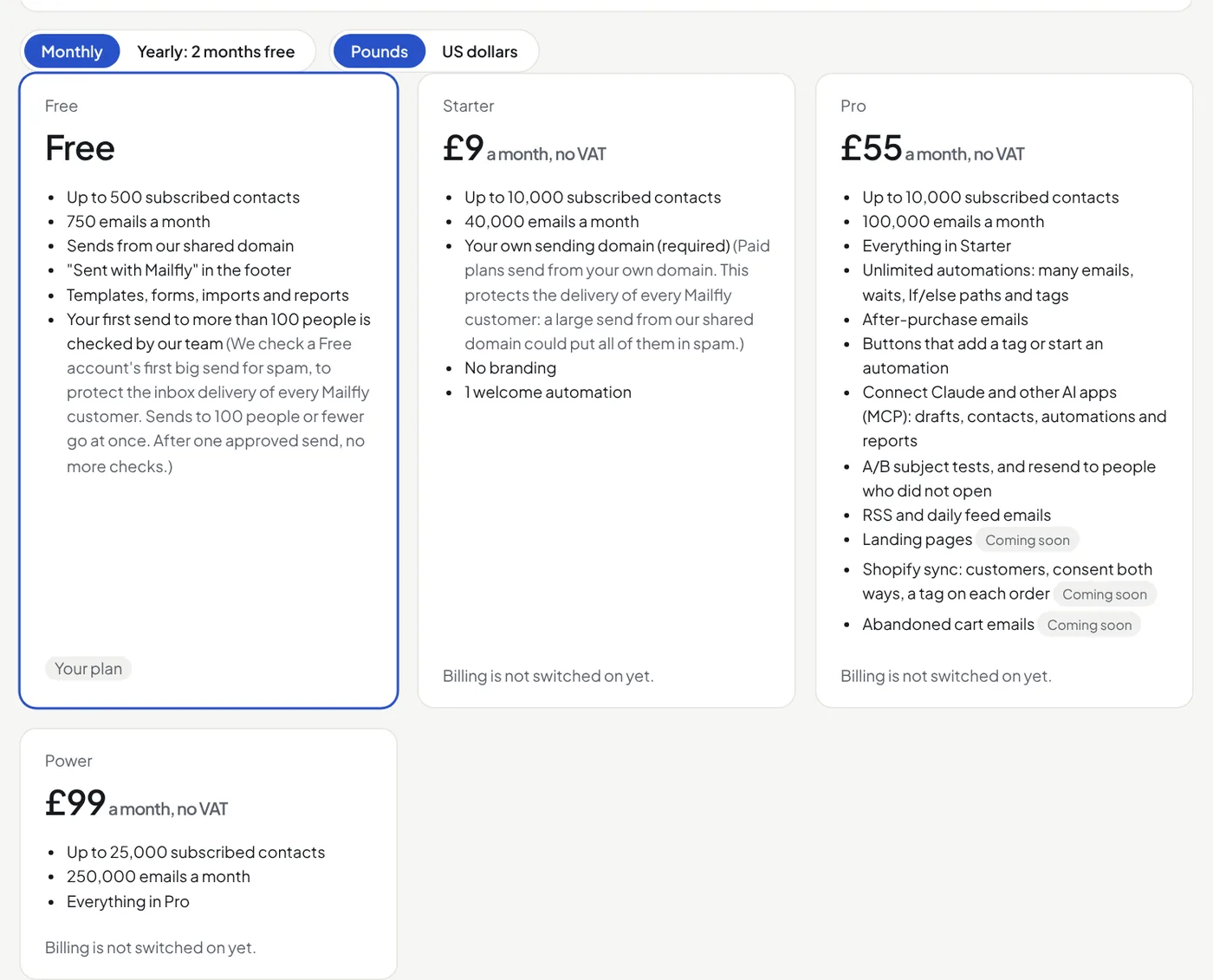
Paid plans send only from your own domain, to protect the delivery of every customer. See Add your sending domain.
What is on Pro only
- Automations with more than one email, If/else paths, tag steps, and tag or link triggers.
- A/B subject tests, and resends to people who did not open.
- Daily emails from a sheet or a feed, and RSS emails.
- Shopify sync: customers, consent both ways, and a tag on each order.
- Abandoned cart emails (with Shopify).
Every plan has the templates, the editor, imports, sign-up forms, confirmed opt-in, reports, Overview, list cleanup, the public archive, team members and Claude.
Paying
- Monthly or yearly. A yearly plan costs 10 months. It has the same emails each month.
- Dollars or pounds. Prices show in US dollars. In Billing, click Pounds beside Monthly / Yearly to pay in pounds instead. You can change it until your first payment. Stripe then keeps that currency for the subscription.
- Extra emails. A paid plan can send more than its monthly emails: £1 or $1 for each 1,000 extra emails. They go on your next invoice; on a yearly plan, on the invoice at the end of the year. In Billing, set the most you want to spend each billing period (the start is £10 or $10, which is 10,000 extra emails). Set 0 to stop at the allowance.
- More contacts than your plan. Your emails still go. A note asks you to move to the plan that fits.
- The monthly emails count from the day of the month your plan started. On Free, from the 1st of the month.
Change or cancel
We do not add VAT: the price you see is the price you pay. Open Billing to upgrade, change plan, move between monthly and yearly, change your card or cancel. A change is charged or credited for the rest of the period.
To cancel, open Cancel the plan at the bottom of your plan's box. The plan runs to the end of the period you paid for, then moves to Free. Until then, Keep my plan undoes it. Nothing is deleted. Features the new plan does not have are switched off, and you get an alert.
Invoices
When a payment goes through, we email the invoice as a PDF to your billing email. Every invoice is also in Billing: View opens it, PDF downloads it. If a payment fails, we email you; change your card in Billing. Billing details sets the name, email and address on your next invoices.