Help › Contacts
Sign-up forms
Open Forms, give the form a name and its tags, and press Make the form. Each form has one link. It works three ways:
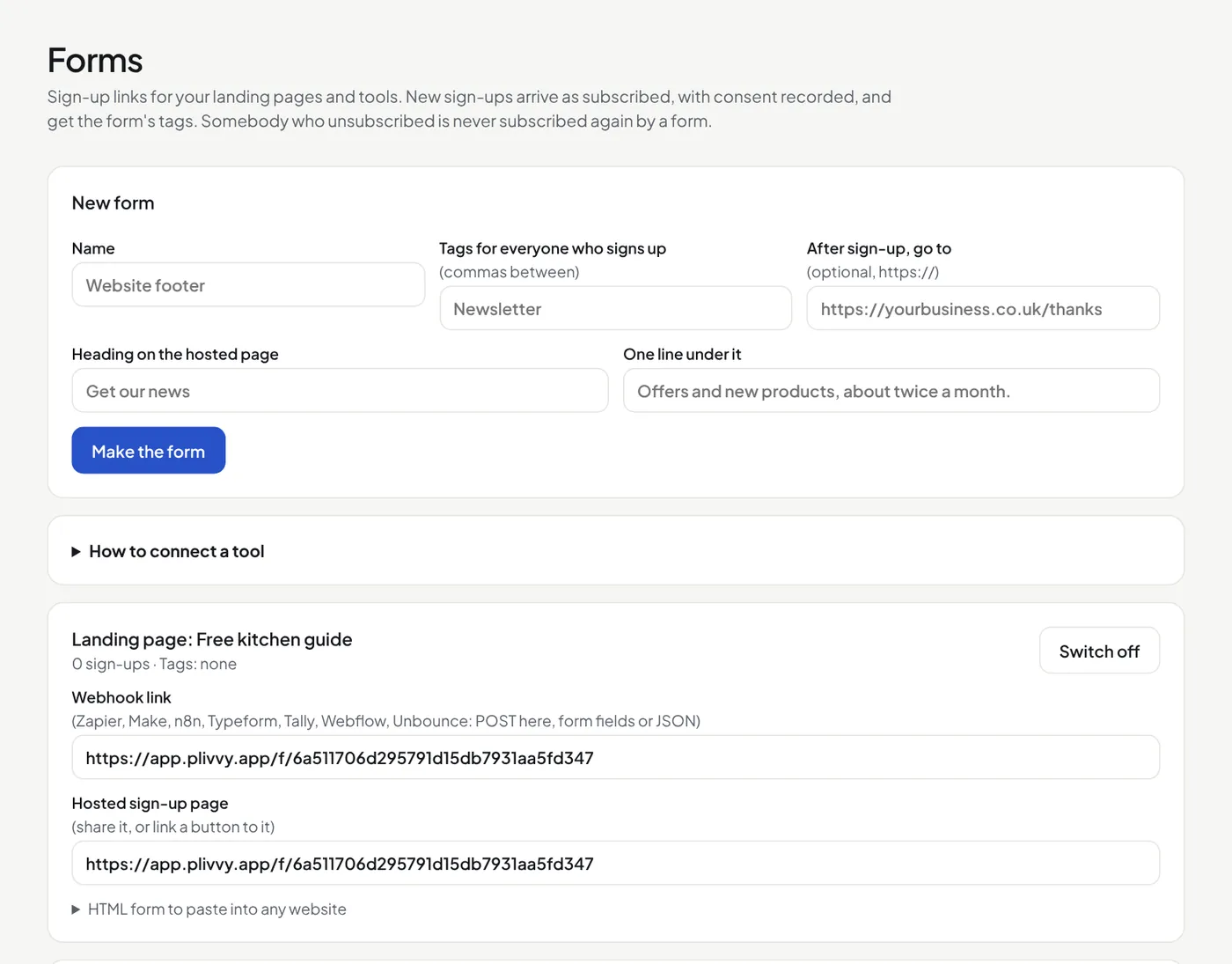
- Hosted page: share the link. It shows a simple sign-up page.
- HTML form: paste the code shown into any website. It carries the form's design.
- Webhook: Zapier, Make, n8n, Typeform, Tally, Webflow and Unbounce can post to it, as form fields or JSON. A field named
emailis needed;first_name,last_name,companyandtagsare read too.
New sign-ups arrive as subscribed, with consent recorded. With confirmed opt-in on, they first wait until they press the button in their email. A consent box that comes in unticked adds nobody. A form never subscribes somebody who unsubscribed.
GDPR consent boxes
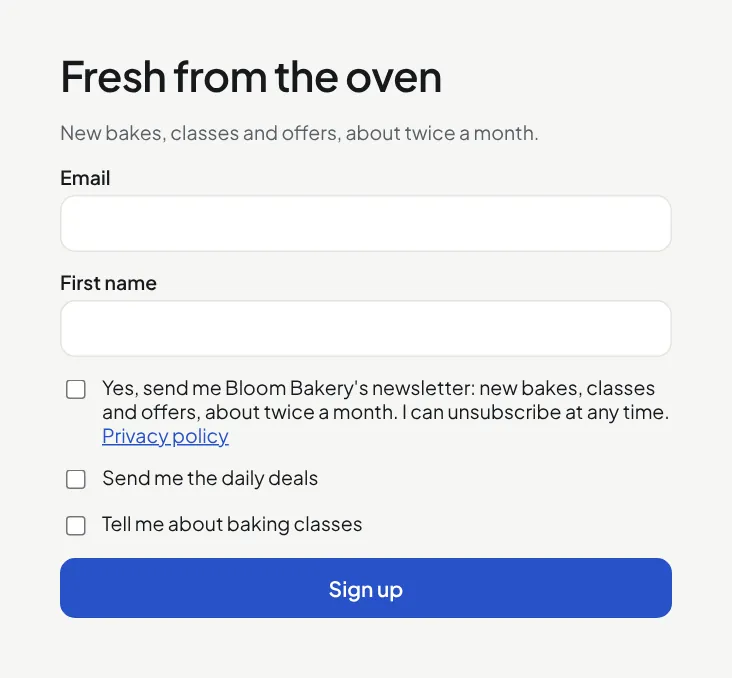
Every form can show GDPR consent. Open GDPR consent on the form:
- A box to tick, never ticked at the start (best for the UK and EU), or a sentence under the button.
- Your own words, and a link to your privacy policy.
- Up to 3 extra boxes (marketing permissions), for example "Send me the daily deals". Each one adds a tag.
The hosted page uses the settings at once. Copy the HTML form again to show them on your website. Each new contact keeps the words they agreed to; see GDPR and consent.
Design the form
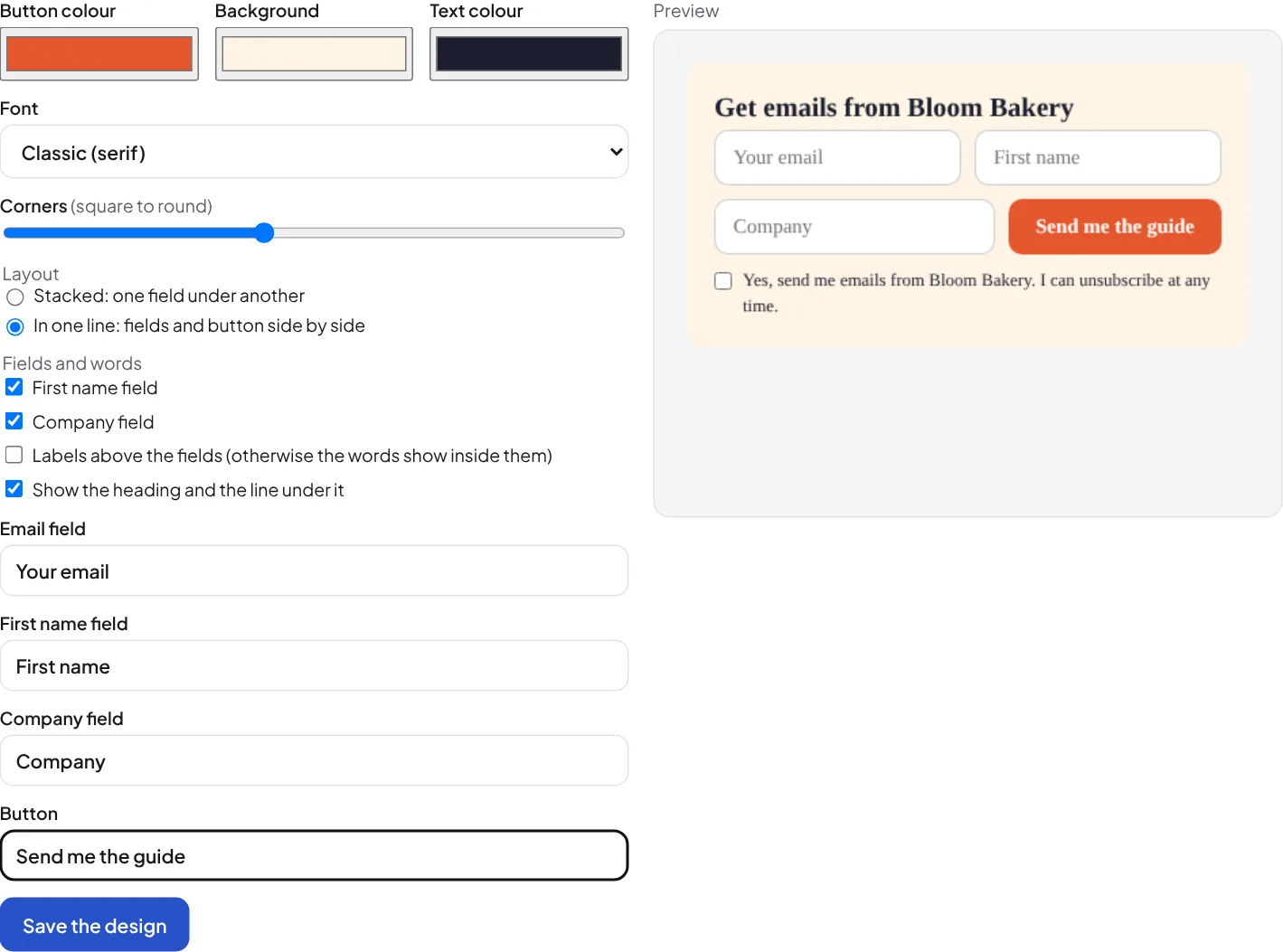
Open Design on the form. The preview at the side changes as you choose:
- Colours: the button, the background and the text. The words on the button turn black or white, whichever is easier to read.
- Font: your website's own font, or one of 4 others. Corners: square to round.
- Layout: one field under another, or the fields and the button in one line.
- Fields: email always; first name and company if you want them. The words show inside the fields or as labels above them.
- Your own words for the fields and the button, and the heading on or off.
Press Save the design. The hosted page uses it at once. Copy the HTML form again to show it on your website. The design changes only the form, not the rest of your website.
After a sign-up
- The person gets the form's tags. A tag can start an automation (Pro).
- A welcome automation can start from one form only: choose People who join through one form.
- Overview shows each form's page views, sign-ups and rate for the last 30 days, and how many new subscribers came from each form.
Limits
20 sign-ups an hour from one network address. A hidden field named _gotcha catches bots: a sign-up with it filled in is not added.