Help › Sending
A daily email from a Google Sheet or a JSON feed
Put your products in a Google Sheet, one row each, with the date it goes. Each day Mailfly reads the sheet and sends that day's deal by itself. This is on the Pro plan. To email your blog posts, see Email new blog posts (RSS).
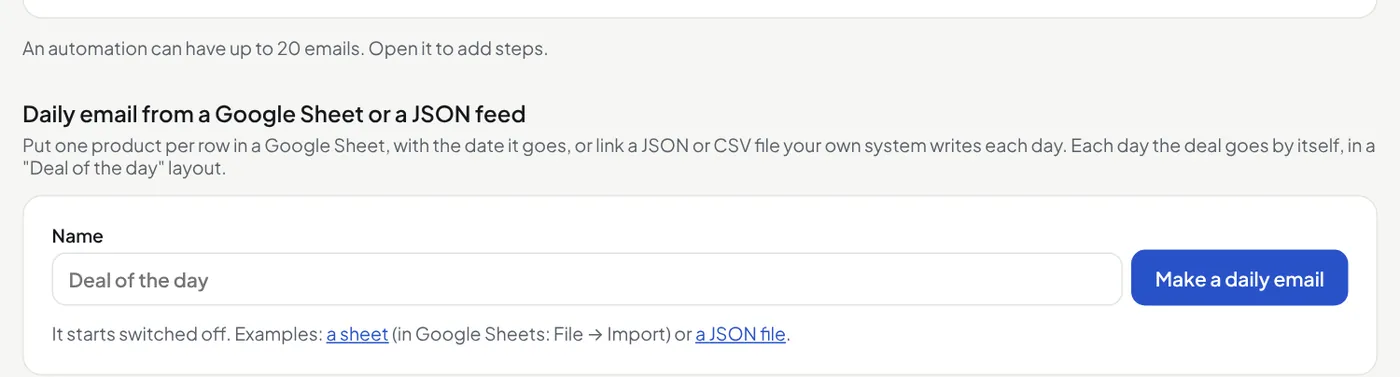
- Open Automations. Under Daily email from a Google Sheet or a JSON feed, type a name and press Make a daily email. It starts switched off.
- In Google Sheets press Share, set General access to Anyone with the link (Viewer), copy the link and paste it in Google Sheet or feed link.
- Choose the time (UK), who gets it, and the words. Press Save.
- Press Check and preview. Then press Send me this as a test.
- Press Switch on.
| date | The day it goes: 2026-10-13 or 13/10/2026. No date column: every row goes every day. |
|---|---|
| title | The product name. Needed. |
| description | A few lines about it. |
| price, price_note | For example £259 and ex VAT. |
| image, link | The picture and the product page. Both start with https://. |
| button, subject | Optional: the words on the button, and a subject for that day. |
- A JSON file from your own system: if a script or worker writes your deal to a JSON file at an https address each day, paste that address in place of a sheet. The JSON can have any shape: Mailfly finds the list of products (or reads one product on its own). Press Check and preview, then open Fields and choose which field is the title, price, picture and link. A field inside a field shows as
outer.inner, for exampleimage.src. - A price that is only a number (259) gets the currency symbol you set (£259).
- With no date field, everything in the file goes each day. Do not send if the products are the same as the last email (on by default) stops a file that was not updated: Mailfly waits for a new one (see below).
- An empty list in the file means no deal today: nothing is sent.
- Two or more rows on one day: the first is the deal, the others show under it as "Also today" (at most 10).
- No row for a day: nothing is sent that day.
- Not ready at the time? If the sheet or feed does not answer, has no row for today, or still has the last email's products, Mailfly tries again every 5 minutes, for up to 2 hours. The first try that works sends the day's email. If every try fails, nothing is sent that day and you get an alert (no alert for a day with no row). The feed page shows Last run and the time of the last try.
- Times go every 15 minutes, from 05:00 to 21:45 (UK).
- Today's email did not go? Choose a time later than now and press Save: Mailfly tries again today at that time. It never sends twice in one day. The page shows Next run: today or tomorrow, and the time.
- Each day's email is a normal campaign: it shows in Campaigns with its report. It goes once a day, with the same checks as a campaign you send. If a check fails, nothing is sent and you get an alert.
- A daily email suits people who asked for one. Send it to a tag, for example "daily deals" from a sign-up form.
- Want the layout for one email? Pick Deal of the day in Templates.
Did this answer your question? If not, contact us or use the chat button.