Help › Sending
The email settings page: let people choose their emails
Every email has the link Update your email settings next to Unsubscribe. Each person gets their own page: no password, nothing to sign in to.
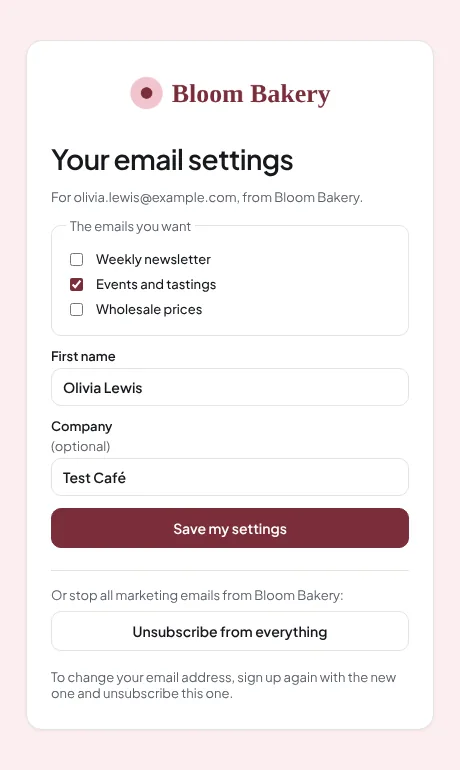
What a person can do there
- Tick or untick the topics you offer, for example "Weekly newsletter" or "Events and tastings".
- Change their first name and company.
- Unsubscribe from everything.
Opening the page changes nothing: only the Save my settings button does. To change their email address, a person signs up again with the new address.
Choose your topics
- Open Settings → Your business and scroll to Email settings page: topics.
- For each topic, type the words people see, and the tag it stands for. Up to 10.
- Press Save the topics.
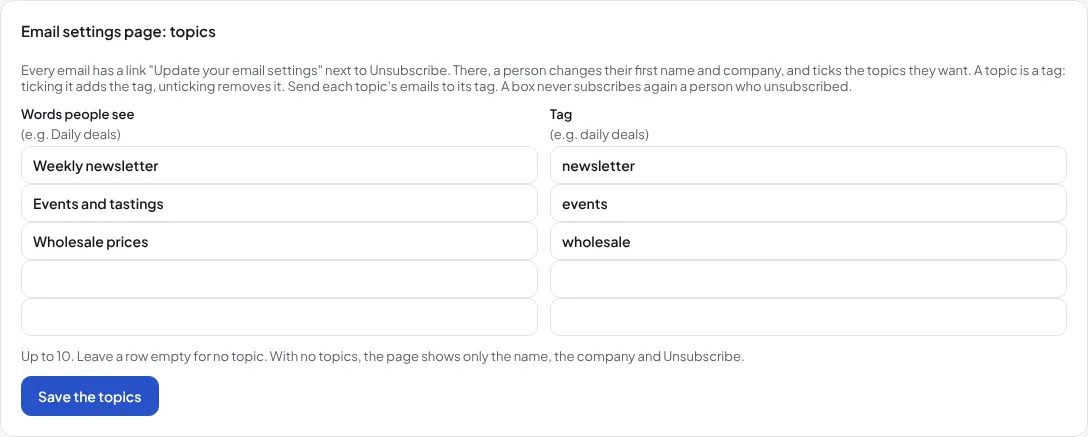
Ticking a topic adds its tag to the person; unticking removes it. No other tag changes. Send each topic's campaigns to its tag, and they follow each person's choice. A tag can also start an automation.
Your logo and colours
- Open Settings → Your business and find Your logo and colours.
- Press Upload a logo, or paste the https:// address of a picture.
- Choose the Button colour and the Page background. The preview changes as you choose.
- Press Save.
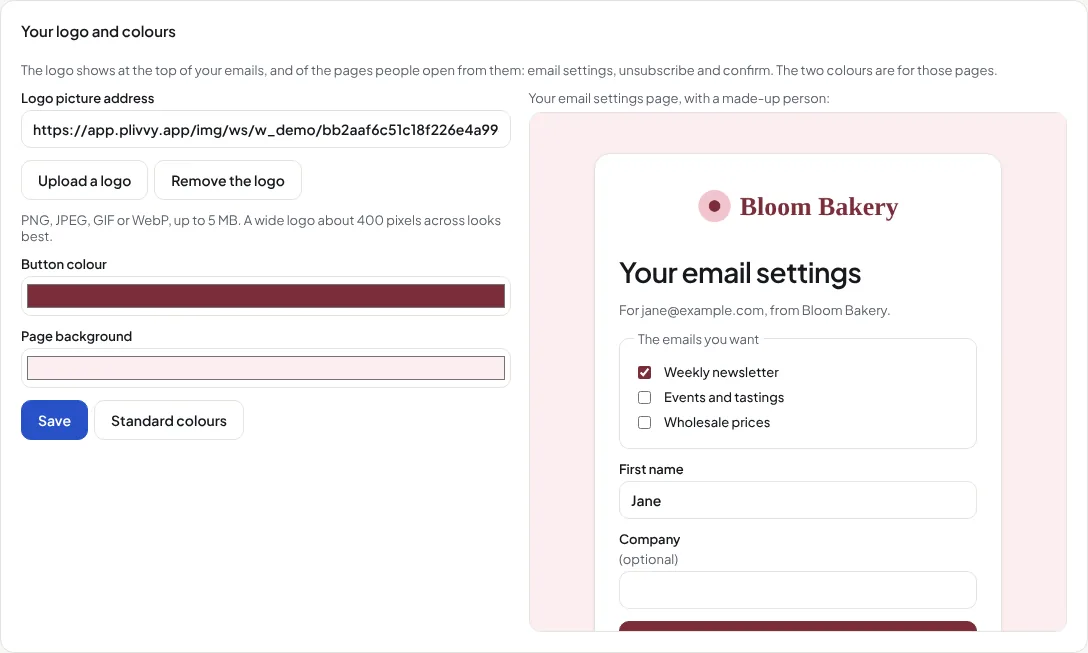
The logo shows at the top of your emails, and of every page people open from them: email settings, unsubscribe, confirm your subscription, and "keep getting emails". The words sit on a white card, so they stay easy to read on any background. Standard colours puts the blue back.
The rules
- A topic box never subscribes again a person who unsubscribed. Only their own Subscribe me again press can.
- A person who bounced or marked an email as spam stays stopped.
- Each change shows on the person's contact page, with the date, and in their data download.
- Test emails have the link too: it opens a page that says it was a test, and changes nothing.